Screaming Frog SEO Spider is the crawler most technical SEOs learned on, and it is still one of the best. People rarely leave it because it is bad. They leave because of the price per licence, the 500-URL cap on the free version, the hardware big crawls need, or because a raw crawl is not something they can send a client. This guide covers nine alternatives, grouped the way people search for them: free and open source, desktop, cloud with nothing to install, and enterprise.
- Free and open source: LibreCrawl, self-hosted with no URL limit, or Beam Us Up, a free desktop crawler for Windows, Mac and Linux.
- Best desktop alternative: Sitebulb, from $18 a month, with prioritised explanations for every issue.
- Pay once instead of subscribing: Netpeak Spider, $496 for a lifetime licence, or $193 a year.
- Cloud, for agencies that report to clients: Daylytix, from €9.99 a month, for sites of up to a few thousand pages.
- Enterprise sites: Lumar or Oncrawl.
Disclosure: Daylytix is our product. It is a cloud audit tool with page limits of 500, 2,000 or 5,000 pages per audit, so it is not a replacement for Screaming Frog on a site with 100,000 URLs. We say where each tool fits, including ours.
Why people look for a Screaming Frog alternative
Screaming Frog is fairly priced for what it does, and its free version is genuinely useful. These are the real reasons people look elsewhere, each based on what Screaming Frog itself publishes:
- The 500-URL cap. The free version includes JavaScript rendering and the Search Console and Analytics integrations, but stops at 500 URLs. Most real sites are bigger than that.
- Price per licence. A licence is €245 a year for one user. A team of five pays for five licences, at €235 each.
- Hardware for large crawls. How many URLs you can crawl depends on the memory and storage of your computer. Screaming Frog’s own FAQ says 8 GB of RAM handles about 200,000 URLs in memory storage mode, and recommends database storage on an SSD for large sites, with a machine of 16 GB RAM and a 1 TB SSD as its recommended setup.
- It is desktop software. It runs on Windows, macOS 11+ and Linux, and the crawl runs on that machine. Sharing results with a team or a client means exporting files.
- Raw data, not a report. You get every URL and every data point, which is its strength. Turning that into prioritised fixes and something a client reads is manual work.
If none of these apply to you, keep Screaming Frog. If one does, the alternatives below solve it in different ways.
Every price, limit and feature below comes from the vendor’s own website, checked on 3 October 2026, and each section links to its source. We did not buy plans for the other tools to write this article, so we describe what each vendor documents rather than claim benchmarks we did not run.
Screaming Frog alternatives at a glance
| Tool | Type | Platforms | Crawl limit | AI search | Price |
|---|---|---|---|---|---|
| Screaming Frog for reference | Desktop | Windows, Mac, Linux | 500 URLs free, then limited by your hardware | AI prompts while crawling | €245/year Free up to 500 URLs |
| LibreCrawl | Open source (MIT), self-hosted | Web interface | No URL limit | Not advertised | Free |
| Beam Us Up | Desktop | Windows, Mac, Linux | “No limits” | AI crawling and MCP (v2.0) | Free |
| Sitebulb | Desktop, plus a cloud version | Desktop or browser | 10,000 (Lite) or 500,000 (Pro) URLs per audit | MCP access | $18/month 14-day trial |
| Netpeak Spider | Desktop | Windows, Mac | Not stated on the pricing page | Not advertised | $20/month $496 lifetime, 3-day trial |
| Daylytix | Cloud | Browser | 500 to 5,000 pages per audit | GEO readiness scorecard | €9.99/month 7-day trial, no card Start free trial → |
| Sitechecker | Cloud | Browser | 200,000 pages (Premium) | AI visibility tracking, all plans | $99/month $83 billed yearly |
| SE Ranking | Cloud suite | Browser | 250,000 pages/month (Core) | Separate AI trackers | €109/month 14-day trial, no card |
| Lumar | Cloud, enterprise | Browser | Custom | GEO/AEO platform | Custom Demo only |
| Oncrawl | Cloud, enterprise | Browser | Custom | AI Search Lens | Custom Demo only |
Prices as shown on each vendor’s website on 3 October 2026, in the vendor’s currency. “AI search” records what each vendor advertises; “not advertised” means we found no such feature on its site.
Free and open-source alternatives
If the 500-URL cap is your only problem and you are comfortable with a little setup, start here.
1. LibreCrawl
LibreCrawl is an open-source crawler that presents itself directly as a Screaming Frog alternative. It is self-hosted: you run it on your own computer or server and use it through a web interface in the browser.
What stands out
- No URL limit, and the project says it handles crawls of more than a million URLs.
- JavaScript rendering through Playwright, for sites built with React, Vue, Angular or Next.js.
- Meta tag, schema, hreflang and Core Web Vitals checks, with exports to CSV, JSON or XML.
- MIT licence, so you can read, change and run the code freely.
Limits
- You install and run it yourself, which takes more technical comfort than a desktop download.
- A community project, not a company with a support team, and no client-facing reports.
Source: LibreCrawl and its GitHub repository, checked 3 October 2026.
2. Beam Us Up
Beam Us Up has been a free downloadable crawler since 2013. Its makers are refreshingly honest: their site says Screaming Frog and Netpeak are better, and argues that Beam Us Up is the best free option and easier to use.
What stands out
- Free, with no crawl limit stated, on Windows, Mac and Linux.
- The core checks: broken links and server errors, redirects, duplicate content, titles, meta tags, canonicals, crawl depth, XML sitemaps and URLs blocked by robots.txt, plus Google PageSpeed scores.
- Version 2.0, released at the end of September 2026, adds AI crawling, MCP, a command-line interface, crawl comparison and more than 100 extra checks.
Limits
- Version 2.0 is very new, so expect the usual early-release rough edges.
- No client reporting.
Source: Beam Us Up, checked 3 October 2026.
Desktop alternatives
Same working style as Screaming Frog, different strengths.
3. Sitebulb
Sitebulb is the alternative most often named next to Screaming Frog. Where Screaming Frog gives you a table of every URL, Sitebulb groups problems into prioritised “Hints” and explains why each matters, with visual crawl maps.
What stands out
- Lite crawls 10,000 URLs per audit with 100+ Hints; Pro crawls 500,000 URLs with 300+ Hints, audit comparisons, scheduled audits and customised PDF reports.
- JavaScript crawling at no extra cost, plus Analytics, Search Console and Google Sheets integrations.
- MCP access, to bring crawl data into Claude or ChatGPT.
- Sitebulb Cloud for teams, from £95 a month, with no project limits.
Limits
- A monthly subscription per user, where Screaming Frog is one yearly licence.
- It does not advertise checks specific to AI search, such as AI crawler access or llms.txt.
Source: Sitebulb pricing and Sitebulb Cloud, checked 3 October 2026.
4. Netpeak Spider
Netpeak Spider is a desktop crawler for Windows and Mac, and one of the few tools here you can buy outright instead of subscribing.
What stands out
- A lifetime licence for $496, or $193 a year, if you prefer not to pay monthly.
- 100+ issues with prioritisation, JavaScript rendering with Chromium, and a built-in scraper using XPath, CSS or regular expressions.
- Analytics, Search Console and Google Sheets integrations, and white-label PDF reports with your own logo.
- A 14-day money-back guarantee on paid plans.
Limits
- The trial is only 3 days.
- Like any desktop crawler, large crawls depend on your machine.
Source: Netpeak Spider pricing and features, checked 3 October 2026.
Cloud alternatives: nothing to install
Cloud crawlers run on the vendor’s servers. Your computer’s memory stops mattering, and anyone on the team, or a client, can open the result in a browser.
5. Daylytix
Daylytix is a cloud audit platform for people who have to explain a crawl to someone else. It runs more than 150 automated checks across 67 report sections, then turns the findings into a prioritised action plan and a report you can send. Where Screaming Frog hands you the data, Daylytix hands you the conclusions.
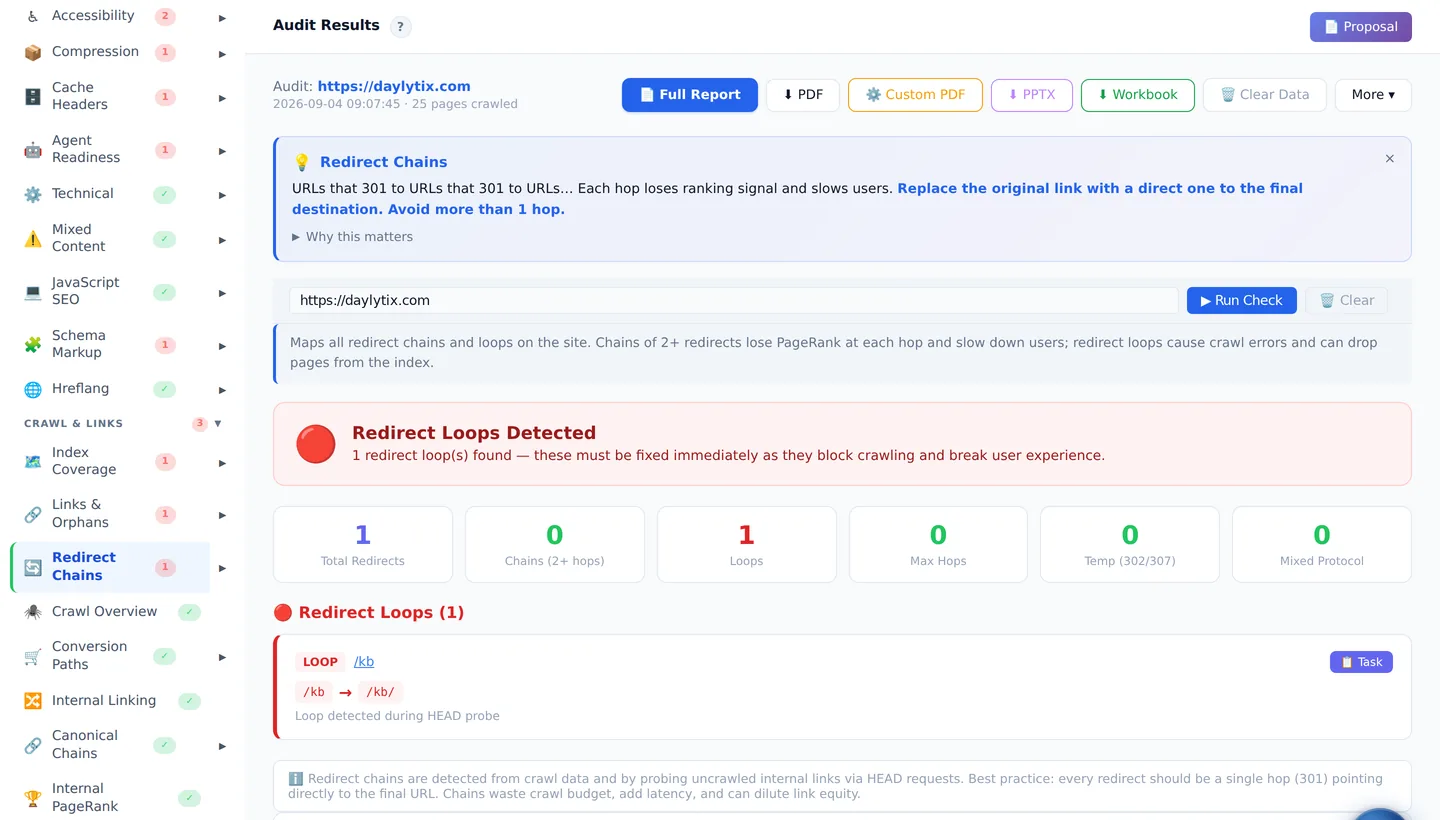
What stands out
- Nothing to install, and no hardware limits: audits run in the cloud and open in any browser, on Windows, Mac or Linux.
- Prioritised fixes, not just data: each check explains why it matters and what to do, and findings roll up into an action plan.
- AI search readiness in every audit: a GEO scorecard checks whether AI bots can crawl the site, structured data and entity signals, how quotable the content is, and whether an llms.txt file is published.
- Client reporting: branded PDF reports on every plan, PPTX slide decks from Pro, white-label branding and a client portal on Agency.
- Search Console and GA4 integrations, scheduled monitoring with alerts, and a rank tracker on every plan. A JavaScript rendering audit from Pro.
Limits
- Page limits per audit: 500 on Starter, 2,000 on Pro and 5,000 on Agency. That covers most small business, SaaS and agency client sites. For a large shop or a news site, use Screaming Frog, Sitebulb or an enterprise crawler.
- Backlink data comes from your own DataForSEO, Ahrefs or Moz account, connected in settings.
Source: Daylytix pricing, 3 October 2026. Plans: Starter (1 domain, 500 pages per audit), Pro (5 domains, 2,000), Agency (unlimited domains, 5,000).
6. Sitechecker
Sitechecker is a cloud platform that combines a site audit with ongoing monitoring, rank tracking and AI visibility tracking, aimed at agencies that look after many client sites.
What stands out
- Checks for more than 300 technical issues, with JavaScript rendering and how-to-fix guides, on every plan.
- Automatic monitoring that detects new and fixed issues and content changes, from weekly on Basic to every 12 hours on Premium.
- AI visibility tracking across ChatGPT, Gemini, Google AI Mode, Perplexity and Copilot on all plans, plus unlimited users.
- On Premium ($375 a month billed yearly): 200,000 pages, 50 websites, a custom domain and your own branding in the app and email reports.
Limits
- The entry price is higher than a desktop licence, and the page limits of the lower plans are not shown in the pricing table.
- Branding in the app is a Premium feature.
Source: Sitechecker pricing, checked 3 October 2026.
7. SE Ranking
SE Ranking is an all-in-one SEO platform. Its Website Audit runs 115+ checks on crawlability, redirects, sitemaps, meta tags, content, speed, JavaScript, links and mobile, and it comes with keyword, rank tracking and backlink tools.
What stands out
- Generous volume: 250,000 pages a month on Core, 2 million on Growth (€235 a month).
- A 14-day trial with no card required.
- Separate trackers for AI Overviews, AI Mode, ChatGPT, Gemini and Perplexity.
Limits
- You pay for a whole suite, which only makes sense if you use the rest of it.
- White-label reports are the Agency Pack add-on, €59 a month, billed yearly only.
Source: SE Ranking pricing and Website Audit, checked 3 October 2026.
Enterprise alternatives
For sites with hundreds of thousands or millions of URLs and several teams working on them. Neither publishes prices; both sell through a demo.
8. Lumar
Lumar, formerly Deepcrawl, is a cloud platform that monitors SEO, accessibility and site health across large sites. It positions itself as a website optimization, SEO and GEO/AEO (AI search) platform.
Limits
- No public prices and no self-service trial.
- More than a single consultant or a small agency needs.
Source: Lumar pricing, checked 3 October 2026.
9. Oncrawl
Oncrawl combines a cloud crawler with log file analysis, so you can see what your site contains next to what Googlebot and AI bots actually request.
What stands out
- A crawler that Oncrawl says processes 300 million+ URLs, with JavaScript rendering.
- A log analyzer for Googlebot, Bingbot and AI bot activity.
- “AI Search Lens”, which uses crawl and log data to show which parts of a site LLMs cite.
- Role-based team access, an API and scheduled crawls with regression alerts.
Limits
- No public prices; you book a demo.
Source: Oncrawl, checked 3 October 2026.
Screaming Frog vs Sitebulb: the short comparison
It is the most common head-to-head question, so here is the answer in one place:
- Price: Screaming Frog is €245 a year per licence with no URL limit. Sitebulb is $18 a month for 10,000 URLs per audit, or $42 a month for 500,000.
- Working style: Screaming Frog gives you every data point in tables you filter and export; it suits analysts who build their own analysis. Sitebulb prioritises issues as Hints, explains them and draws crawl maps; it suits people who want the tool to point at the problem.
- Scale: both crawl very large sites on a well-specified machine. Sitebulb also sells a cloud version; Screaming Frog is desktop software.
- Common ground: both render JavaScript and connect to Search Console and Google Analytics, and both now connect to AI models: Screaming Frog through custom AI prompts while crawling, Sitebulb through MCP.
If you are an analyst, Screaming Frog. If you want explanations and prioritisation, Sitebulb. If what you need is a client-ready report rather than either, look at the cloud options above.
How to choose a Screaming Frog alternative
If you are on a Mac
You may not need an alternative: Screaming Frog runs on macOS 11 and later. Beam Us Up and Netpeak Spider also run on Mac, and every cloud tool works in any browser.
If you do not want to install anything
Pick a cloud tool: Daylytix or Sitechecker for audits and reporting, SE Ranking if you want a full suite, Lumar or Oncrawl for enterprise sites.
If you have no budget
LibreCrawl if you can host it, Beam Us Up if you want a download. Pair either with Google Search Console, which shows what Google actually indexed.
By site size
Up to a few thousand pages: any tool here, so choose on workflow and reporting. Tens of thousands: Sitebulb Pro, Netpeak Spider, SE Ranking or Screaming Frog itself. Millions of URLs: Lumar, Oncrawl or a carefully configured desktop crawler. Our guide to crawl budget on large sites explains what changes at that scale.
If you report to clients
Raw crawl data has to be turned into a report anyway. Daylytix includes branded PDF reports on every plan and white-label on Agency; Sitechecker brands the app on Premium; Netpeak Spider and SE Ranking offer white-label PDFs or an add-on.
Frequently asked questions
What are the free alternatives to Screaming Frog?
LibreCrawl is open source under the MIT licence and has no URL limit, but you host it yourself. Beam Us Up is a free desktop crawler for Windows, Mac and Linux. Google Search Console is free too, though it reports on what Google indexed rather than crawling your site on demand.
Is there a free version of Screaming Frog?
Yes. The free version crawls up to 500 URLs and already includes JavaScript rendering and the Search Console, Analytics and PageSpeed Insights integrations. A paid licence, €245 a year, removes the limit and unlocks the advanced features.
What is the difference between Sitebulb and Screaming Frog?
Screaming Frog gives you raw crawl data to analyse yourself, on one yearly licence with no URL limit. Sitebulb prioritises and explains issues as Hints, with visual crawl maps, on a monthly subscription with a URL limit per audit, and also sells a cloud version.
Is there an online alternative to Screaming Frog?
Yes, cloud crawlers run in the browser with nothing to install: Daylytix, Sitechecker and SE Ranking for most sites, Lumar and Oncrawl for enterprise sites. You can try Daylytix free for 7 days without a card.
Does Screaming Frog work on a Mac?
Yes. Screaming Frog runs on macOS 11 and later, as well as Windows 10 and 11 and Linux. If you want a free crawler for Mac without the 500-URL limit, Beam Us Up runs on macOS too.
Is Screaming Frog safe to use?
Yes, it is widely used commercial software from a UK company. The main thing to watch is the site you crawl: a fast crawl can put load on a small server, so lower the crawl speed for small or fragile sites, and only crawl sites you own or have permission to audit.